Posts

Showing posts with the label tech task

Week 21 - Tech Task

This week I wanted to put two modules together I wanted to see what I could do when editing the html because blogger offers the option to edit the html and I've been doing my website for a while and this course involves a lot of website design this list was made in the HTML The img tag wouldn't work and I don't know why! CDM The above line was made using the hr tag. "For a quote, I used the blockquote tag!" I used this post for reference! 

Week 19 - Tech Task

I was running out of tech tasks this week, so I thought I'd give a quick tour of the bibliography Chrome Extension I've been using! It's called MyBib and you don't have to use the extension, you can just use the website, but I recommend the extension. You can choose your referencing still and can create a 'project' if you have several papers or reviews on the go. You can import previous bibliographies, you can download a reference list and you can share you project.  What I really like about it is when you add a citation, it actually tells you how credible it is. Though it should be taken with a pinch of salt, as this is the internet, I weeded out a few website articles through this tool.  You can sort your citations and search them if there are several. You have the option to copy an in-text citation or a bibliography entry. You can also go back and edit any citation if you misspelled something if you had to enter manually, for example. 

Week 18 - Tech Task

Taylor Swift · willow

Week 17 - Tech Task

Image
This week I decided to see if I could do the type test again and compare my results from last November. Last year I got 53 WPM with 97% accuracy on my first try. On my second try, it was 56 WPM at 99% accuracy.  This year, my first attempt was 54 WPM with 98% accuracy. My second attempt gave me my highest score and I was clearly on a roll.  (screenshot from typing.com, my high score of 70 WPM at 99% accuracy) If anyone is in need of a fast typer with good accuracy, I'm available.

Week 16 - Extra Credit

Image
 I did a tech task this week where I used Adobe Spark to make a quote graphic. I liked this quote from Albert Einstein, I found it really interesting and relevant to this module. I also felt like the background was relevant.

Week 15 - Tech Task

 I changed my theme!

Week 14 - Extra Credit

Image
  #dmed2023 I was hopeful this semester and module I would be more successful with Unity but so far I've uninstalled it 5 times and it still doesn't work pic.twitter.com/EbzBIioPNc — Rosie (@Rosie78976548) February 2, 2021 For this week's extra credit, I learned how to embed a tweet into a blog post. 

Week 10 - Tech Task; Misc.

Image
This week I decided to do a few of the tech tasks at the bottom of the list marked as miscellaneous.  Firstly, I confirmed what I already knew - I type fast and well. I did this typing test where you type a paragraph in a minute and it scores you. I did it twice because I'm competitive and have to beat my own score. (screenshot of my typing test results; 53 words per minute with 97% accuracy) (screenshot of my typing results; 56 words per minute with 99% accuracy) I then used Google's Define features to define a few relevant words. Multimedia:   Multimedia is a form of communication that combines different content forms such as text, audio, images, animations, or video into a single presentation, in contrast to traditional mass media, such as printed material or audio recordings. Gaming: 1.  the action or practice of playing gambling games.                   2.  the action or practice of playing video g...

Week 09 - Tech Tasks

Image
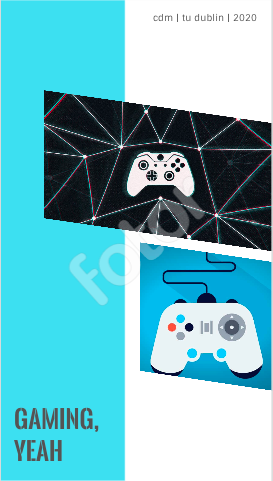
 This week, I attempted to add my twitter into my sidebar but it just wouldn't work. I think I need to mess around more to find the right theme but the three I tried just did not co-operate.  Instead, I went on to Fotor to create a collage about gaming. I liked looking through the different templates, it really helped with inspiration. I think when we're used to using Photoshop and Illustrator, it's hard to stare at a blank canvas every time because it can be quite daunting. I definitely thing I'll explore more things with templates for inspiration and ideas.

Week 06 - Tech Task

Week 5 - Tech Task

Image
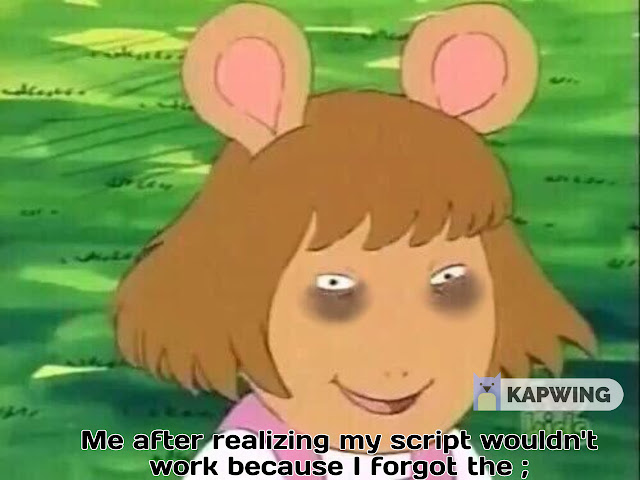
 I found the meme making website linked annoying because I had to create an account so I went on the hunt for a different one. I came across kapwing and made a very relevant meme. Enjoy.

Week 4 - Tech Task

I have edited HTML before, obviously as part of the course, but I've also messed around with the simplicities of Tumblr and Reddit posts. 

Week 03 - Tech Task // Changing My Layout

For my extra credit task this week, I changed my theme up and added my spirit animal as my header image (Captain Raymond Holt from 'Brooklyn Nine Nine').  I liked the Soho theme before I saw it was recommended and to be fair, it does look pretty decent on the mobile and desktop. I picked that particular image of Captain Holt because it never fails to make me laugh. I love it so much that I had it on my phone case for years. I also think it's a fantastic summary of how 2020 is going. To be fair, I just find Captain Holt hilarious in general. His character in the show is so serious that it work so well for comedy.